Content

From chaos to clarity: Using GitHub Copilot agents to improve developer workflows

Explore how you can set Copilot coding agent up for success with custom instruction and Copilot setup steps.

Rubber Duck Thursdays - Copilot agent mode, coding agent and MCP servers
 GitHub
In this episode, we review the latest GitHub changelog including remote MCP server support for coding agent and Copilot code review on mobile. We use the Playwright MCP server with Copilot agent mode to debug and fix UI issues in the Octo Arcade project, discuss the differences between ask, edit, and agent modes in VS Code, and explore MCP server concepts like tools, prompts, and resources.

Rubber Duck Thursdays - Let's build
GitHubIn this stream, Chris catches up on several weeks of GitHub updates including the remote MCP server preview and Copilot coding agent for business users. The live coding session demonstrates adding internationalization to the Copilot Airways app using Copilot coding agent, custom VS Code chat modes for planning, and agent mode in Xcode for iOS development.

From idea to PR: A guide to GitHub Copilot’s agentic workflows
A practical guide to GitHub Copilot’s agentic coding agent, chat modes, and remote MCP server so you turn issues into tested PRs with clear steps (and no hype).

Rubber Duck Thursdays - Let's build with agents
GitHubIn this episode, we recap the latest GitHub changelog updates including Copilot coding agent availability for pro users and the new Playwright MCP browser capability. We update Copilot custom instructions and setup steps for a GitHub Action project, use the Playwright MCP server to build interactive UI features on a trend radar app, and leverage Copilot coding agent to identify and fix technical debt.

Rubber Duck Thursdays - Copilot coding agent and Copilot agent mode
GitHubIn this stream, Chris recaps announcements from Microsoft Build, reviews three weeks of GitHub changelog updates, and does a deep dive into Copilot coding agent using the Copilot Airways demo app. Topics include assigning issues to Copilot, reviewing AI-generated pull requests, MCP integration with Notion, and best practices for writing well-scoped GitHub issues.
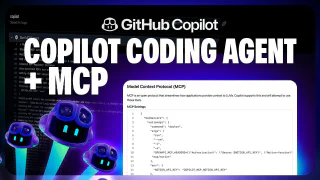
Extend GitHub Copilot coding agent with custom MCP tools
GitHubThis video shows how to create a GitHub Issue directly from Copilot Chat on GitHub.com and immediately assign it to the Copilot coding agent. The core focus is Model Context Protocol (MCP): how the Notion MCP server is configured to give Copilot access to a product requirements document stored in Notion, enabling it to implement a user reviews feature for the 'Copilot Airways' travel guide with full traceability back to the source document. The video also covers how MCP servers are provisioned inside GitHub Actions and how to use Copilot's PR change summary to navigate large code reviews.
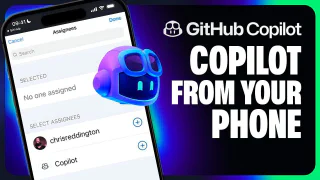
Assign issues to GitHub Copilot from the GitHub mobile app
GitHubThe GitHub Copilot coding agent works from anywhere—including your phone. This video demonstrates assigning a GitHub Issue to Copilot directly from the GitHub Mobile app, targeting a GitHub Pages deployment task for the 'Copilot Airways' CI workflow. It then shows how to monitor Copilot's progress, view the session log, and review and approve the resulting pull request entirely from a mobile browser, including the 'Approve and Run' gate that protects GitHub Actions execution.
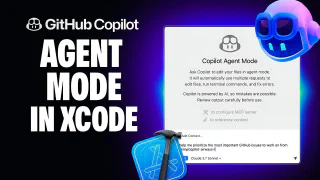
Copilot Agent Mode is now available in GitHub Copilot for Xcode
GitHubGitHub Copilot for Xcode now supports agent mode alongside the existing ask mode, with full Model Context Protocol (MCP) support for extending Copilot with additional tools. This video walks through toggling between ask and agent modes in the Xcode chat pane, configuring the GitHub MCP server via the Xcode MCP settings tab, and using agent mode to look up and prioritize repository issues. A hands-on demo shows Copilot diagnosing and fixing a premature form validation problem in an iOS app, verified in the simulator.
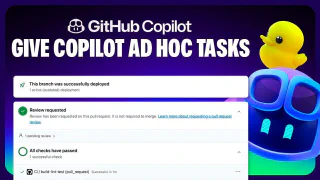
Assigning Copilot ad-hoc tasks through Copilot chat
GitHubThe Copilot coding agent can be triggered directly from a Copilot Chat session in Visual Studio Code, not just from GitHub Issues. This video shows how to use the GitHub chat participant in ask mode to delegate an ad-hoc refactoring task—standardizing naming conventions across the 'Copilot Airways' codebase—without interrupting your current workflow. Copilot outlines a plan for your approval, creates a pull request with documentation updates, runs linting and build checks in the background, and waits for the 'Approve and Run' gate before the final review.