Content
How to get the most out of the Copilot coding agent
 GitHub
Getting the best results from the GitHub Copilot coding agent requires deliberate setup across four areas. This video covers writing well-scoped GitHub Issues with clear acceptance criteria and file pointers, crafting Copilot custom instructions to enforce team conventions and development flow, configuring a consistent development environment using Copilot setup steps, and extending Copilot's toolset with Model Context Protocol (MCP) servers configured from repository settings.
VS Code, Live — Straight from Microsoft Build! 🪐
GitHubJoin VS Code, Live! at Microsoft Build. For the first time ever, VS Code, Live! is going on stage—in person—and you’re invited! Get an inside look at what the team’s building, featuring live conversations with devs and creators. Whether you’re deep into VS Code or just curious about what’s next, this is your dev-first, code-forward pass to what’s new.
The GitHub Copilot coding agent *NEW*
GitHubGitHub Copilot coding agent lets you assign GitHub Issues to Copilot, which works asynchronously in the background to create and iterate on pull requests. This video walks through assigning a form input validation task on the 'Copilot Airways' demo app, watching Copilot form a plan, generate code, and run linters, builds, and tests to verify quality. It also covers the human-in-the-loop review experience—adding PR comments that Copilot acknowledges and acts on—plus the 'Approve and Run' gate that protects GitHub Actions execution.

Rubber Duck Thursdays - Building from requirements with Agent Mode
GitHubIn this stream, Chris builds a GitHub CLI extension (gh-demo) in Go from scratch using a spec-driven development approach with Copilot Agent Mode. Topics include bootstrapping a VS Code workspace with Copilot, test-driven development for a hydrate subcommand, and setting up GitHub Actions CI.

Rubber Duck Thursdays - Agent mode and custom instructions
GitHubChris continues exploring Copilot Agent Mode and custom instructions by building a memory sequence game for the GitHub CLI extension project in Go. The changelog segment covers GitHub CLI accessibility improvements, Copilot Code Review expanding to all languages, Copilot Autofix updates, and the introduction of Copilot premium requests.

Rubber Duck Thursdays - The one with custom instructions
GitHubThis episode dives deep into Copilot custom instructions — what they are, how to write them, and why they matter for guiding AI-assisted development. Chris reviews the GitHub Changelog including the credential revocation API, CodeQL improvements, and the GitHub Models playground's new prompt improvement feature, then live codes a higher/lower game for a Go-based GitHub CLI extension using Agent Mode with detailed custom instructions.

Rubber Duck Thursdays - Back to building GitHub CLI Extensions
GitHubIn this episode, Chris reviews the GitHub Changelog covering organization-level Copilot custom instructions, CodeQL for Actions workflow security analysis, Copilot Code Review language expansion, secret scanning alert dismissals, and GitHub Mobile updates. The coding segment tackles theme switching for the Copilot Airways web app and a Tailwind CSS upgrade using GitHub Codespaces and Copilot Agent Mode.

Rubber Duck Thursdays - Building with Agent Mode and MCP
GitHubA model-packed week — Chris walks through new releases including GPT-4.1, Gemini 2.5 Pro, O3, O4 mini, and Meta Llama 4 in Copilot and GitHub Models. He demos the strategy trend radar app, tries the new Codespaces agent mode button, and builds a GitHub Actions workflow that summarizes the changelog into a newsletter using GitHub Models.
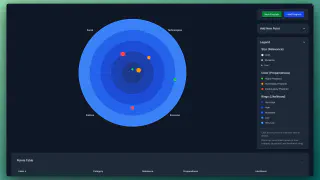
Trend Radar Interactive App
GitHubAn interactive trend radar visualising threats and opportunities across Political, Economic, Social, and Technological dimensions. Trends are displayed in concentric circles, with size indicating impact and color representing preparedness.

Rubber Duck Thursdays - Building with Agent Mode and MCP
GitHubChris explains what Model Context Protocol (MCP) is and demos the new GitHub MCP server alongside Copilot Agent Mode in VS Code. The stream covers creating repos and issues through MCP tools, then builds a strategy visualization app from a screenshot using agent mode, vision, and the Playwright and sequential thinking MCP servers.