Command Line
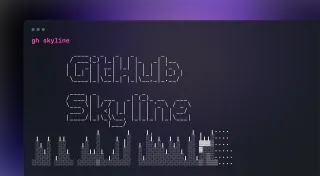
gh-skyline
 GitHub
gh-skyline is a GitHub CLI extension that generates an STL file of a user's GitHub Contribution history
Set up your Go development environment with Visual Studio Code and Windows Subsystem for Linux (WSL)
Over the past few weeks, I have been working on a new set of pet projects. I've wanted to learn Go for a while, so I thought this could be a great opportunity to get hands on and try it out. It's fair to say that my development environment was 'functional', but I wanted to revisit it to make sure that I could get the best out of it. In this blog post, I'm going to walkthrough the process of setting up Go on my machine, and then the experience of using Visual Studio Code and Windows Subsystem for Linux (WSL) with Ubuntu.
Fix for .bashrc not executing on startup in Ubuntu on Windows Subsystem for Linux
In case you haven't heard, I'm planning to do some livestreams in the near future which are focused on live development / building in the cloud. I'm working on a few ideas, but if you have any suggestions - please throw them my way! To prepare for this, I've recently spent some time making sure my local development environment is in order. Windows Terminal and Windows Subsystem for Linux are a couple of the key tools in my local development environment. Windows Subsystem for Linux is the focus for this post.
V015 - Weekly Technology Vlog #15
Weekly Vlog #15 covers a lighter-than-usual Azure week, spotlighting Azure Cloud Services extended support GA with a migration tool preview, Azure Orbital's ground station-as-a-service partnership updates, and a great Azure DevOps blog post on building and publishing your first GitHub Action. Cloud with Chris highlights include a Windows Terminal productivity Cloud Drop, the Bulkhead resilience pattern episode, a Microsoft Learn introductory video, and a recap of the Northern Azure User Group talk alongside Scott Hanselman — with two Global Azure sessions on Hugo static sites and GitHub Actions just around the corner.
Windows Terminal - What is it, and how can it make you productive with Azure?
For some time now, I've been using Windows Terminal as my local terminal for interacting with my command-line tools for quite some time now. Whenever I'm demonstrating Kubernetes concepts or working with the Azure CLI, I'll likely have had the Windows Terminal open at some point. I always get questioned about which terminal that is, and how people can get access to it. I recently put together a Cloud Drop on How Windows Terminal can make YOU productive with Azure, so I figured it's time to also write up a blog post on the same! Whether you're a Developer, DevOps Engineer, Infrastructure Operations or Data Scientist, you've probably had to interact with a command-line terminal / shell at some point, so I hope this will be useful for you!
Cloud Drops - How Windows Terminal can make YOU productive with Azure
 Cloud with Chris
Windows Terminal is a modern multi-shell application available via the Microsoft Store or winget, supporting Windows Command Prompt, PowerShell, PowerShell Core, WSL distributions, and Azure Cloud Shell in a single window. This Cloud Drop demonstrates installing Windows Terminal, connecting to Azure Cloud Shell via device code login, and creating custom SSH profiles to connect directly to Azure virtual machines from both Windows OpenSSH and WSL.
Cloud Drops - Git 101 - Why use Git, and how to get started
Git is a distributed version control system where every developer holds a complete copy of the repository and its history locally, enabling offline work and fast branching. This Cloud Drop covers git init, git add, git commit, git status, git log, git push, git pull, and git clone, plus VS Code's built-in Git integration and the Git Credential Manager for authenticating against GitHub and other remote hosts.
Cloud Drops - How does Git work behind the scenes?
Git stores all version history as compressed objects — commits, trees, and blobs — inside the .git folder. This Cloud Drop walks through the .git directory structure, uses git cat-file -p to inspect commit, tree, and blob objects, and shows how refs map human-readable branch names to commit hashes, including remote-tracking refs created when pushing to GitHub.
Cloud Drops - Introducing and Setting up Git LFS (Large File Storage)
Git LFS (Large File Storage) is a Git extension that replaces large binary files in your repository with lightweight text pointers, storing the actual data on a remote server. This Cloud Drop demonstrates git lfs install, git lfs track "*.mp3", staging and committing with LFS active, and using git clone --config lfs.fetchExclude to selectively skip large files when cloning.
Cloud Drops - Installing, Upgrading and Auto-Upgrading the Azure CLI
The Azure CLI provides cross-platform command-line management of Azure resources from Windows, macOS, Linux, Docker containers, and Azure Cloud Shell. This Cloud Drop demonstrates az login, az account set, az group list, az upgrade, and the az config set auto-upgrade.enable=yes command for keeping your CLI automatically up to date.