DevOps

#GlobalAzure 2021 - How GitHub Actions can help in building and deploying a static site and more
Chris is the producer and host of his podcast CloudWithChris.com. He uses GitHub to version control the site's source code, GitHub Actions to build and deploy the site to Azure and other clouds, and GitHub Issues/Boards to plan the episode backlog. In this session, we'll explore how GitHub can be used to deploy your own workloads to Azure.

#GlobalAzure 2021 - Using Hugo, Azure Storage and Azure CDN for a cheap & performant site on Azure
We often hear about Kubernetes, App Services, Virtual Machines and more. But did you ever think about using Azure Storage to host your sites? The Static Content Hosting pattern is a cost-effective way to host your sites, combined with a CDN can be incredibly performant! Chris will show how he uses these patterns, along with GitHub Actions to deploy and maintain his CloudWithChris.com podcast.
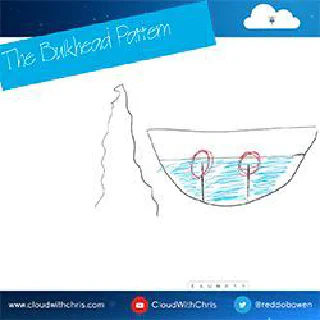
34 - The Bulkhead Pattern (Isolate your components to prevent failures)
The Bulkhead pattern takes its name from the watertight compartments in a ship's hull. Just as those compartments prevent a single breach from sinking the whole vessel, the Bulkhead pattern isolates components of a cloud application so that failures or resource exhaustion in one service cannot cascade to others. This episode covers partitioning strategies, connection pools, Kubernetes resource limits, and multi-tenancy considerations.
Windows Terminal - What is it, and how can it make you productive with Azure?
For some time now, I've been using Windows Terminal as my local terminal for interacting with my command-line tools for quite some time now. Whenever I'm demonstrating Kubernetes concepts or working with the Azure CLI, I'll likely have had the Windows Terminal open at some point. I always get questioned about which terminal that is, and how people can get access to it. I recently put together a Cloud Drop on How Windows Terminal can make YOU productive with Azure, so I figured it's time to also write up a blog post on the same! Whether you're a Developer, DevOps Engineer, Infrastructure Operations or Data Scientist, you've probably had to interact with a command-line terminal / shell at some point, so I hope this will be useful for you!
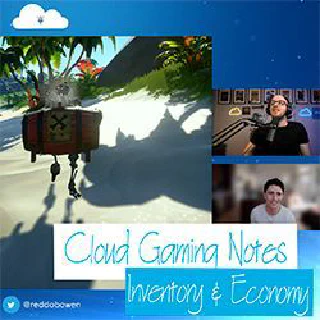
CGN3 - Cloud Gaming Notes Episode 3 - Inventory and Economy
Gaming has evolved from isolated save files to persistent, cloud-powered experiences that follow players across every device they own. In this third episode of Cloud Gaming Notes, Chris and Lee Williams explore the cloud architecture behind in-game inventory and economy systems — using Sea of Thieves as a live example. Topics include persistent state management with Azure Cosmos DB, managed gaming backends with PlayFab, Live Ops patterns, and how cloud infrastructure enables monetisation and long-term player retention at scale.
How GitHub Actions can help in building and deploying a static website and more
Chris is a Cloud Solution Architect at Microsoft. He'll explore how GitHub Actions can be used to deploy your own static sites (or other apps!) to Azure.
Cloud Drops - How Windows Terminal can make YOU productive with Azure
 Cloud with Chris
Windows Terminal is a modern multi-shell application available via the Microsoft Store or winget, supporting Windows Command Prompt, PowerShell, PowerShell Core, WSL distributions, and Azure Cloud Shell in a single window. This Cloud Drop demonstrates installing Windows Terminal, connecting to Azure Cloud Shell via device code login, and creating custom SSH profiles to connect directly to Azure virtual machines from both Windows OpenSSH and WSL.
Why use Git, How it Works and what's going on behind the scenes?
I've recently released a few Cloud Drops episodes on Git related content. The Git Behind the Scenes video was incredibly well received. I'm also aware from my day-to-day discussions that there's a mix of experiences with Git, so also made a Git 101 Video. In this Cloud World that we live in, version control is an important concept beyond the 'traditional' developers. Infrastructure Engineers can now version control their Infrastructure as Code, or maintenance scripts. Data Scientists can version control their experiments and tests. And of course, developers can version control the code for their software. I also consider version control as a gateway or first step into the world of DevOps. Typically when you think about build and release pipelines, you are triggering based upon some version control event (e.g. a commit to a particular branch, a merge of a pull request, etc.). Over the past few years, I've seen a trend where organisations are looking to automate quickly, rather than relying on the traditional hands-on-keyboard approach which can be error-prone and time consuming. Whether we're talking in this context about Infrastructure as Code, Application Code, database schemas as code, data science experiments or any other representation as code, it doesn't matter. Typically the roads lead back to the same place, to version control. So in this blog post, I'll be covering the fundamentals of Git and how to get started. For anyone that is particularly inclined, there will also be some information on what's happening behind the scenes when you work through these fundamental concepts.
Cloud Drops - Git 101 - Why use Git, and how to get started
Git is a distributed version control system where every developer holds a complete copy of the repository and its history locally, enabling offline work and fast branching. This Cloud Drop covers git init, git add, git commit, git status, git log, git push, git pull, and git clone, plus VS Code's built-in Git integration and the Git Credential Manager for authenticating against GitHub and other remote hosts.
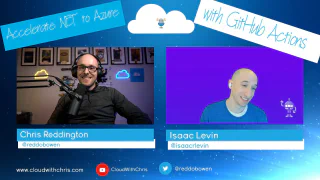
32 - Accelerate .NET to Azure with GitHub Actions
Cloud with ChrisGitHub Actions makes it easy to automate your entire .NET software delivery pipeline — from build and test through to deployment on Azure. In this episode, Chris Reddington is joined by Isaac Levin, Senior Product Marketing Manager at Microsoft and a lifelong .NET developer, to walk through how GitHub Actions YAML workflows streamline deploying .NET and ASP.NET Core applications to Azure App Service, Azure Functions, and Azure Static Web Apps (including Blazor WebAssembly). Isaac traces the evolution of CI/CD tooling from FTP and CruiseControl.NET through to modern GitHub Actions, demonstrates how Azure and Visual Studio integrate to auto-generate workflows, and shares practical tips for getting started quickly.