GitHub Actions
Rubber Duck Thursdays - Copilot coding agent and Copilot agent mode
 GitHub
In this stream, Chris recaps announcements from Microsoft Build, reviews three weeks of GitHub changelog updates, and does a deep dive into Copilot coding agent using the Copilot Airways demo app. Topics include assigning issues to Copilot, reviewing AI-generated pull requests, MCP integration with Notion, and best practices for writing well-scoped GitHub issues.
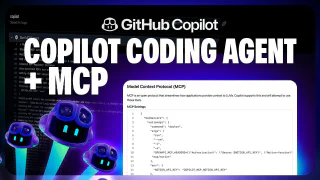
Extend GitHub Copilot coding agent with custom MCP tools
GitHubThis video shows how to create a GitHub Issue directly from Copilot Chat on GitHub.com and immediately assign it to the Copilot coding agent. The core focus is Model Context Protocol (MCP): how the Notion MCP server is configured to give Copilot access to a product requirements document stored in Notion, enabling it to implement a user reviews feature for the 'Copilot Airways' travel guide with full traceability back to the source document. The video also covers how MCP servers are provisioned inside GitHub Actions and how to use Copilot's PR change summary to navigate large code reviews.
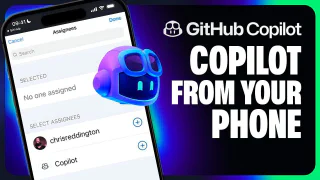
Assign issues to GitHub Copilot from the GitHub mobile app
GitHubThe GitHub Copilot coding agent works from anywhere—including your phone. This video demonstrates assigning a GitHub Issue to Copilot directly from the GitHub Mobile app, targeting a GitHub Pages deployment task for the 'Copilot Airways' CI workflow. It then shows how to monitor Copilot's progress, view the session log, and review and approve the resulting pull request entirely from a mobile browser, including the 'Approve and Run' gate that protects GitHub Actions execution.
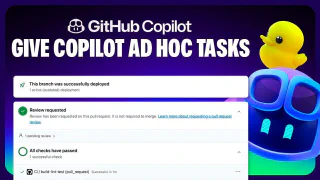
Assigning Copilot ad-hoc tasks through Copilot chat
GitHubThe Copilot coding agent can be triggered directly from a Copilot Chat session in Visual Studio Code, not just from GitHub Issues. This video shows how to use the GitHub chat participant in ask mode to delegate an ad-hoc refactoring task—standardizing naming conventions across the 'Copilot Airways' codebase—without interrupting your current workflow. Copilot outlines a plan for your approval, creates a pull request with documentation updates, runs linting and build checks in the background, and waits for the 'Approve and Run' gate before the final review.
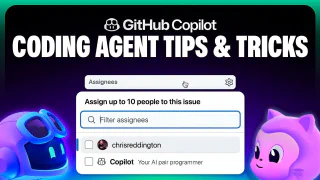
How to get the most out of the Copilot coding agent
GitHubGetting the best results from the GitHub Copilot coding agent requires deliberate setup across four areas. This video covers writing well-scoped GitHub Issues with clear acceptance criteria and file pointers, crafting Copilot custom instructions to enforce team conventions and development flow, configuring a consistent development environment using Copilot setup steps, and extending Copilot's toolset with Model Context Protocol (MCP) servers configured from repository settings.
The GitHub Copilot coding agent *NEW*
GitHubGitHub Copilot coding agent lets you assign GitHub Issues to Copilot, which works asynchronously in the background to create and iterate on pull requests. This video walks through assigning a form input validation task on the 'Copilot Airways' demo app, watching Copilot form a plan, generate code, and run linters, builds, and tests to verify quality. It also covers the human-in-the-loop review experience—adding PR comments that Copilot acknowledges and acts on—plus the 'Approve and Run' gate that protects GitHub Actions execution.
Rubber Duck Thursdays - Building from requirements with Agent Mode
GitHubIn this stream, Chris builds a GitHub CLI extension (gh-demo) in Go from scratch using a spec-driven development approach with Copilot Agent Mode. Topics include bootstrapping a VS Code workspace with Copilot, test-driven development for a hydrate subcommand, and setting up GitHub Actions CI.
Rubber Duck Thursdays - Back to building GitHub CLI Extensions
GitHubIn this episode, Chris reviews the GitHub Changelog covering organization-level Copilot custom instructions, CodeQL for Actions workflow security analysis, Copilot Code Review language expansion, secret scanning alert dismissals, and GitHub Mobile updates. The coding segment tackles theme switching for the Copilot Airways web app and a Tailwind CSS upgrade using GitHub Codespaces and Copilot Agent Mode.
Rubber Duck Thursdays - Building with Agent Mode and MCP
GitHubA model-packed week — Chris walks through new releases including GPT-4.1, Gemini 2.5 Pro, O3, O4 mini, and Meta Llama 4 in Copilot and GitHub Models. He demos the strategy trend radar app, tries the new Codespaces agent mode button, and builds a GitHub Actions workflow that summarizes the changelog into a newsletter using GitHub Models.
Rubber Duck Thursdays - Sshh, let's talk about secrets.
GitHubThis episode dives deep into GitHub Advanced Security's new standalone Secret Protection and Code Security products. Chris demos secret scanning, push protection, custom patterns, and the free secret risk assessment report, then shows off a GitHub-themed brick breaker game powered by real contribution graph data.