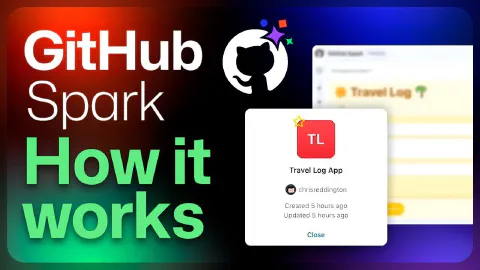
Use GitHub Spark to create a travel log app
This is a demo video showcasing GitHub Spark. The video covers the following specific topics:
- GitHub Spark’s positioning as an AI-native micro-app platform from GitHub Next: build, use, and share apps through natural language without managing deployments
- Building a city travel log app by describing it in plain language and receiving an immediately interactive app (no code shown)
- Using the built-in theme editor to switch light/dark mode and customise accent colours and border radii
- Iterating on the app via natural language: adding latitude/longitude capture for each city entry
- Using the data tab to view and manage stored state without any database or connection string configuration
- Extending the app to support editing and deleting entries, and plotting city ratings on an interactive map
- Adding AI-powered city suggestions: using Spark’s built-in LLM integration to recommend three destinations based on existing ratings
- Using the variant generator when a prompt is ambiguous (“make it more sunny and fun”), producing multiple distinct UI options to choose from
- Navigating the revision history sidebar to review, revert, or branch off prior states
- Renaming and starring the app for quick dashboard access
Related Content
GitHub Copilot Chat and o1-preview: Building a maze generator!
 GitHub
Demonstrates the o1-preview reasoning model integrated into GitHub Copilot Chat in Visual Studio Code, available to approved users via the chat model picker alongside GPT-4o and o1 mini. The video builds a JavaScript maze generator that supports keyboard navigation, BFS and DFS solving algorithms, and visual path rendering—using o1-preview's extended internal reasoning to satisfy complex multi-requirement prompts in fewer iterations than standard models.
How to use Copilot Workspace for inspiration
GitHubDemonstrates GitHub Copilot Workspace starting from a template repository to scaffold a to-do application, showing how AI can jumpstart creativity when starting a new project. The video walks through the full specification-to-plan workflow, iterating with a live app preview, and switching between Copilot Workspace and GitHub Codespaces to make direct code edits. It also covers the share feature for collaborating on work in progress and the automated first deployment via GitHub Actions.

5 tips and tricks when using GitHub Copilot Workspace
GitHub Next launched the technical preview for GitHub Copilot Workspace in April 2024. Since then, we’ve been listening to the community, learning, and have some tips to share on how to get the most out of it!