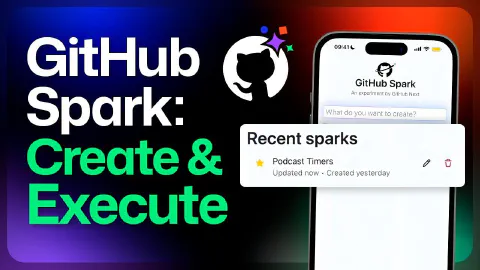
Use GitHub Spark to create a podcast timer apps
This is a demo video showcasing GitHub Spark. The video covers the following specific topics:
- GitHub Spark’s mobile-first design philosophy: building apps on the go using natural language
- Creating a podcast session timer app from a plain-language description
- Iteratively adding controls via natural language: start, pause, and reset for each timer segment
- Adding a reverse progress bar to give hosts a visual sense of remaining time
- Implementing a color-coded time indicator: green (>50% remaining), amber (25–50%), red (<25%)
- Triggering a red flashing alert when a timer reaches zero
- Using Spark’s built-in LLM integration to allow users to create timer segments from a natural language description (e.g. “two 5-minute stanzas and a 3-minute outro”)
- Using the Spark sidebar to view and edit managed state (timer data) directly and see updates reflected in the app
- Renaming and starring the app to keep it accessible from the dashboard
- Sharing the finished app via a read-only or write-access link for collaboration
Related Content
Use GitHub Spark to create a travel log app
 GitHub
Demonstrates GitHub Spark, an AI-native micro-app platform from GitHub Next that lets anyone build, use, and share personalized apps through natural language—without writing code or managing deployments. The video creates a city travel log app that captures reviews with GPS coordinates, plots destinations on a map, generates AI city suggestions based on existing ratings, and uses the variant generator to explore alternate UI directions from an ambiguous prompt. It also covers the built-in theme editor, state management, and revision history for iterating on app design.
GitHub Copilot Chat and o1-preview: Building a maze generator!
GitHubDemonstrates the o1-preview reasoning model integrated into GitHub Copilot Chat in Visual Studio Code, available to approved users via the chat model picker alongside GPT-4o and o1 mini. The video builds a JavaScript maze generator that supports keyboard navigation, BFS and DFS solving algorithms, and visual path rendering—using o1-preview's extended internal reasoning to satisfy complex multi-requirement prompts in fewer iterations than standard models.
How to use Copilot Workspace for inspiration
GitHubDemonstrates GitHub Copilot Workspace starting from a template repository to scaffold a to-do application, showing how AI can jumpstart creativity when starting a new project. The video walks through the full specification-to-plan workflow, iterating with a live app preview, and switching between Copilot Workspace and GitHub Codespaces to make direct code edits. It also covers the share feature for collaborating on work in progress and the automated first deployment via GitHub Actions.