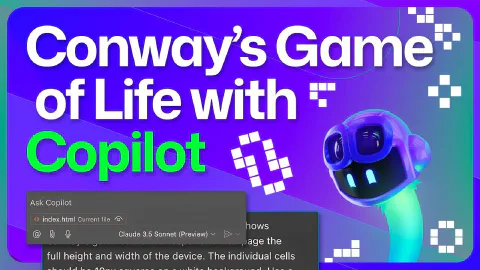
Build Conway's Game of Life with GitHub Copilot Free
This is a demo video showing GitHub Copilot in an end-to-end scenario, by building Conway’s Game of Life. The video covers the following specific topics:
- Selecting the Claude Sonnet 3.5 model in the GitHub Copilot Chat model picker in Visual Studio Code
- Writing specific, clear prompts: requesting a single-file implementation with a responsive layout and configurable cell size
- Tips on effective prompt engineering: keeping prompts simple and specific to reduce ambiguous output
- Reviewing generated code before inserting it, then customising the colour scheme to match the GitHub contribution graph
- Using the “Apply in Editor” button with speculative decoding to apply targeted diffs across an existing file
- Refactoring from a single HTML/CSS/JS file to separate files using Copilot Edits for multi-file changes
- Reviewing multi-file diffs in the Copilot Edits view and accepting changes per file
- Using drag-and-drop to add files as context to Copilot Chat and Copilot Edits sessions
- Improving readability with Copilot Edits: grouping variables, adding a new class, and nesting methods
- Using a Copilot instructions file to enforce team coding standards (HTML5 meta tags, JSDoc comments) in subsequent edits
- Inline chat slash commands:
/docto generate documentation for a function and/explainto learn about an unfamiliar concept (torus topology) - Using Copilot Extensions to integrate Copilot’s natural language interface with external tools and services
- Generating a project README with Copilot Edits, summarising the app, implementation, and contribution guidelines
- Writing a GitHub Actions deployment workflow to publish the static site to GitHub Pages
- Using Copilot to suggest a commit message, committing, pushing, and verifying the live GitHub Pages deployment
Related Content
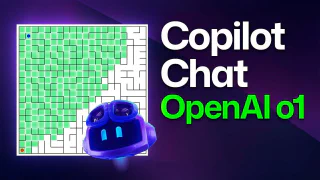
GitHub Copilot Chat and o1-preview: Building a maze generator!
 GitHub
Demonstrates the o1-preview reasoning model integrated into GitHub Copilot Chat in Visual Studio Code, available to approved users via the chat model picker alongside GPT-4o and o1 mini. The video builds a JavaScript maze generator that supports keyboard navigation, BFS and DFS solving algorithms, and visual path rendering—using o1-preview's extended internal reasoning to satisfy complex multi-requirement prompts in fewer iterations than standard models.
How to use Copilot Workspace for inspiration
GitHubDemonstrates GitHub Copilot Workspace starting from a template repository to scaffold a to-do application, showing how AI can jumpstart creativity when starting a new project. The video walks through the full specification-to-plan workflow, iterating with a live app preview, and switching between Copilot Workspace and GitHub Codespaces to make direct code edits. It also covers the share feature for collaborating on work in progress and the automated first deployment via GitHub Actions.
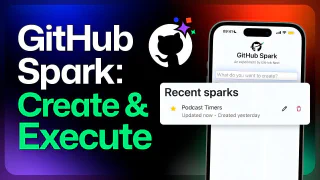
Use GitHub Spark to create a podcast timer apps
GitHubDemonstrates GitHub Spark on mobile, building a podcast session timer app entirely through natural language prompts. The video covers iteratively adding timer controls (start, pause, reset), a reverse progress bar, a color-coded time-remaining indicator (green/amber/red), and AI-powered timer creation from a plain-language description—showcasing GitHub Spark's built-in LLM integration. It also demonstrates Spark's managed state storage and the share link for giving collaborators read or write access.