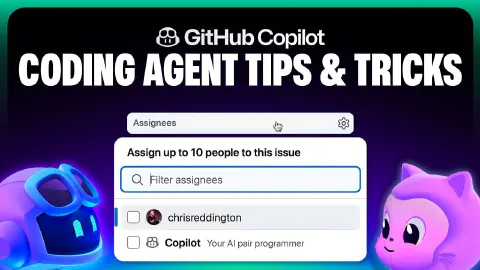
How to get the most out of the Copilot coding agent
The GitHub Copilot coding agent works best when given rich context and a consistent environment. This video breaks down four concrete practices that help set Copilot up for success before a single line of code is written.
1. Write well-scoped GitHub Issues — Can the issue be resolved in a single pull request? Does it include a clear problem description, acceptance criteria, pointers to the relevant files, and a loose implementation plan to follow?
2. Use Copilot custom instructions — These allow you to steer Copilot toward team conventions and code quality standards. For the coding agent, consider documenting required pre-commit steps, the full development flow (build, test, lint commands), how the repository is structured, and any key guidelines Copilot should follow.
3. Configure Copilot setup steps — Like any developer, Copilot needs a consistent development environment. A dedicated GitHub Actions workflow called ‘Copilot setup steps’ provides a predictable starting point so Copilot doesn’t waste turns installing prerequisites before getting to work.
4. Provide tools via MCP — The Copilot coding agent supports Model Context Protocol, configured from the repository settings page. This allows you to give Copilot access to additional external tools—databases, documentation systems, APIs—as part of its automated workflow.
Related Content

Rubber Duck Thursdays - Building with Agent Mode and MCP
 GitHub
Chris explains what Model Context Protocol (MCP) is and demos the new GitHub MCP server alongside Copilot Agent Mode in VS Code. The stream covers creating repos and issues through MCP tools, then builds a strategy visualization app from a screenshot using agent mode, vision, and the Playwright and sequential thinking MCP servers.

Rubber Duck Thursdays - Creating a brickbreaker walkthrough
GitHubChris live-codes a GitHub-themed brick breaker walkthrough using Copilot agent mode, demonstrating how prompt framing, context, and custom instructions shape AI-generated output.
The GitHub Copilot coding agent *NEW*
GitHubGitHub Copilot coding agent lets you assign GitHub Issues to Copilot, which works asynchronously in the background to create and iterate on pull requests. This video walks through assigning a form input validation task on the 'Copilot Airways' demo app, watching Copilot form a plan, generate code, and run linters, builds, and tests to verify quality. It also covers the human-in-the-loop review experience—adding PR comments that Copilot acknowledges and acts on—plus the 'Approve and Run' gate that protects GitHub Actions execution.