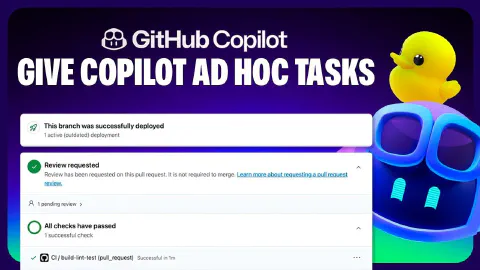
Assigning Copilot ad-hoc tasks through Copilot chat
The GitHub Copilot coding agent isn’t limited to work assigned from GitHub Issues—you can also delegate tasks directly from a Copilot Chat session in Visual Studio Code while actively working in the codebase.
The video walks through the following workflow on the ‘Copilot Airways’ demo app:
- Opening Copilot Chat in ask mode in Visual Studio Code and invoking the
@githubchat participant - Describing naming inconsistencies found across the codebase and asking Copilot to raise a pull request that standardizes the naming conventions across all implementations
- Reviewing Copilot’s proposed plan (including documentation improvements to make conventions explicit) and confirming before it proceeds
- Copilot creating the pull request and returning a direct link within the chat session
- Viewing the session log to see how Copilot mapped out the refactoring approach
- Letting Copilot work asynchronously in the background—running lint and build steps to verify code quality—while continuing with other work
- Returning to the pull request, using the ‘Approve and Run’ button to trigger GitHub Actions checks, and progressing to merge once all checks pass
Related Content
The GitHub Copilot coding agent *NEW*
 GitHub
GitHub Copilot coding agent lets you assign GitHub Issues to Copilot, which works asynchronously in the background to create and iterate on pull requests. This video walks through assigning a form input validation task on the 'Copilot Airways' demo app, watching Copilot form a plan, generate code, and run linters, builds, and tests to verify quality. It also covers the human-in-the-loop review experience—adding PR comments that Copilot acknowledges and acts on—plus the 'Approve and Run' gate that protects GitHub Actions execution.
How to get the most out of the Copilot coding agent
GitHubGetting the best results from the GitHub Copilot coding agent requires deliberate setup across four areas. This video covers writing well-scoped GitHub Issues with clear acceptance criteria and file pointers, crafting Copilot custom instructions to enforce team conventions and development flow, configuring a consistent development environment using Copilot setup steps, and extending Copilot's toolset with Model Context Protocol (MCP) servers configured from repository settings.

Rubber Duck Thursdays - Building from requirements with Agent Mode
GitHubIn this stream, Chris builds a GitHub CLI extension (gh-demo) in Go from scratch using a spec-driven development approach with Copilot Agent Mode. Topics include bootstrapping a VS Code workspace with Copilot, test-driven development for a hydrate subcommand, and setting up GitHub Actions CI.