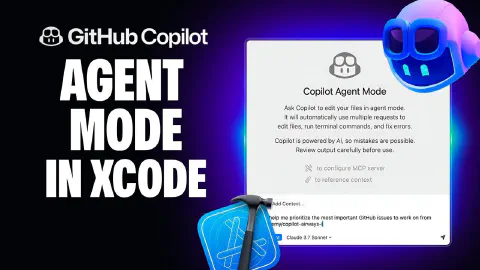
Copilot Agent Mode is now available in GitHub Copilot for Xcode
GitHub Copilot for Xcode has added agent mode, bringing the same agentic capabilities available in Visual Studio Code to native Apple platform development. This video covers the key features and a practical demonstration.
Topics and demos include:
- The new ask/agent mode toggle in the Copilot chat pane within Xcode—ask mode for back-and-forth conversation, agent mode for autonomous task execution that can invoke tools and run terminal commands
- Configuring Model Context Protocol (MCP) via the Xcode settings page: navigating to the MCP tab, editing the configuration JSON, and reviewing available tools based on what’s already configured
- Adding the GitHub MCP server to give Copilot access to GitHub repository data (issues, pull requests, etc.) directly from within Xcode
- Using agent mode to look up open issues and summarize the state of work across the repository, helping prioritize what to tackle next
- A hands-on fix: identifying that instant (on-first-keystroke) form validation creates a poor user experience in an iOS app, writing a clear instruction with explicit expectations for Copilot to follow, and watching it explore workspace files and apply the targeted change
- Verifying the fix in the iOS simulator: confirming that input fields no longer show red validation errors on first load, and that error messages appear correctly when invalid data is entered
Related Content
How to get the most out of the Copilot coding agent
 GitHub
Getting the best results from the GitHub Copilot coding agent requires deliberate setup across four areas. This video covers writing well-scoped GitHub Issues with clear acceptance criteria and file pointers, crafting Copilot custom instructions to enforce team conventions and development flow, configuring a consistent development environment using Copilot setup steps, and extending Copilot's toolset with Model Context Protocol (MCP) servers configured from repository settings.

Rubber Duck Thursdays - Building with Agent Mode and MCP
GitHubChris explains what Model Context Protocol (MCP) is and demos the new GitHub MCP server alongside Copilot Agent Mode in VS Code. The stream covers creating repos and issues through MCP tools, then builds a strategy visualization app from a screenshot using agent mode, vision, and the Playwright and sequential thinking MCP servers.

Rubber Duck Thursdays - Building from requirements with Agent Mode
GitHubIn this stream, Chris builds a GitHub CLI extension (gh-demo) in Go from scratch using a spec-driven development approach with Copilot Agent Mode. Topics include bootstrapping a VS Code workspace with Copilot, test-driven development for a hydrate subcommand, and setting up GitHub Actions CI.