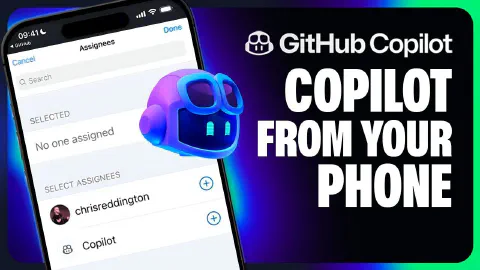
Assign issues to GitHub Copilot from the GitHub mobile app
The GitHub Copilot coding agent isn’t just a desktop experience—you can assign issues and track Copilot’s progress directly from the GitHub Mobile app or a mobile browser, making it useful during a commute or whenever you’re away from your laptop.
The video demonstrates the following mobile-first workflow using the ‘Copilot Airways’ demo repository:
- Navigating the issues backlog and assigning a GitHub Pages deployment task to Copilot directly from the GitHub Mobile app
- Copilot acknowledging the assignment with the 👀 emoji reaction and immediately creating a pull request
- Switching to github.com in a mobile browser to open the pull request and tap ‘View session’
- Reviewing how Copilot explored existing CI workflow files, formed a plan, updated configuration files, and modified the existing workflow to add the GitHub Pages deployment step
- Copilot running linters, builds, and tests as quality checks during the agentic loop to ensure the CI pipeline remains healthy
- Using the ‘Approve and Run’ button on mobile to authorize GitHub Actions execution against the AI-generated changes
- Marking the pull request as ready for review and merging once checks pass—all without touching a laptop
Related Content

The GitHub Copilot coding agent *NEW*
 GitHub
GitHub Copilot coding agent lets you assign GitHub Issues to Copilot, which works asynchronously in the background to create and iterate on pull requests. This video walks through assigning a form input validation task on the 'Copilot Airways' demo app, watching Copilot form a plan, generate code, and run linters, builds, and tests to verify quality. It also covers the human-in-the-loop review experience—adding PR comments that Copilot acknowledges and acts on—plus the 'Approve and Run' gate that protects GitHub Actions execution.
Assigning Copilot ad-hoc tasks through Copilot chat
GitHubThe Copilot coding agent can be triggered directly from a Copilot Chat session in Visual Studio Code, not just from GitHub Issues. This video shows how to use the GitHub chat participant in ask mode to delegate an ad-hoc refactoring task—standardizing naming conventions across the 'Copilot Airways' codebase—without interrupting your current workflow. Copilot outlines a plan for your approval, creates a pull request with documentation updates, runs linting and build checks in the background, and waits for the 'Approve and Run' gate before the final review.
How to get the most out of the Copilot coding agent
GitHubGetting the best results from the GitHub Copilot coding agent requires deliberate setup across four areas. This video covers writing well-scoped GitHub Issues with clear acceptance criteria and file pointers, crafting Copilot custom instructions to enforce team conventions and development flow, configuring a consistent development environment using Copilot setup steps, and extending Copilot's toolset with Model Context Protocol (MCP) servers configured from repository settings.