
Feature Flags - The Art of the IF and Deployment
Feature flags (also called feature toggles) are one of the most powerful — and most misunderstood — practices in modern software delivery. This session explores them from first principles through to production implementation.
What are feature flags?
A mechanism to decouple deployment (pushing code to production) from release (enabling that code for users). Once separated, teams can deploy continuously, roll out incrementally, experiment in production, and roll back instantly — without touching infrastructure.
Types of feature flags covered
- Release flags — control when a new feature becomes visible to users
- Experiment flags — A/B testing and gradual rollout
- Ops flags — circuit breakers and kill switches for production incidents
- Permission flags — per-user or per-cohort feature access
Best practices discussed
- Wrap all significant code changes in flags from the start — retrofitting is painful
- Use additive database changes: add new columns alongside existing ones so old and new code can coexist safely in production; deprecate and remove only after full rollout
- Establish clear flag lifecycle policies — flags that are never cleaned up become long-term debt
Tooling walk-through
- Azure App Configuration — integrates natively with ASP.NET Core’s configuration system; feature management libraries support Razor views, controller actions, and middleware with dynamic reload
- LaunchDarkly — injects into the same .NET configuration pipeline; SDKs cover Java, Python, Node, JavaScript, and mobile platforms
- Optimizely — experimentation-focused with broad SDK and platform support
Prerequisites
CI/CD pipelines, automated quality gates, and trunk-based development are non-negotiable foundations. Feature flags without these in place become a liability rather than an asset — and the nervous feeling before a big production release is often the signal that it’s time to start.
Chris closes with an interesting observation: even a Hugo-based static site served via Azure Static Web Apps can benefit from feature flags — “static” refers to the files, not the user experience.
Related Content

GitHub Actions and Azure - Deploying .NET Core code to Azure App Service
You have your .NET Core application code and your Azure App Service infrastructure is ready. Now it's time to wire them together with an automated GitHub Actions deployment pipeline. This episode walks through building a multi-job workflow that compiles, publishes, and deploys your .NET Core app to Azure App Service using publish profiles and GitHub Secrets.

3 - DevOps in a Cloud World
DevOps is the union of people, process, and products to enable the continuous delivery of value to end users — not just code or features. In this episode, Abel Wang, Principal Developer Advocate and DevOps Lead at Microsoft, joins Chris to cover the foundations of DevOps, telemetry-driven development, database DevOps, feature flags, Site Reliability Engineering, and the importance of shifting left on quality and security.
Discussing the Cloud with Chris GitHub Actions Usage
 Cloud with Chris
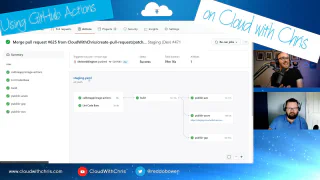
Chris is joined by Karl Cooke (IrishTechie) for a live deep-dive into the GitHub Actions workflows powering CloudWithChris.com. They explore why GitHub was chosen over Azure DevOps, walk through a real-world CI/CD pipeline for a Hugo static site deployed to Azure Blob Storage with CDN purging, and examine how to manage secrets and approvals using GitHub Environments. The session also covers linting Markdown with GitHub Super Linter, early thinking on Playwright-based UI tests, the security considerations around third-party actions from the marketplace, and building a custom .NET GitHub Action for content cross-posting.