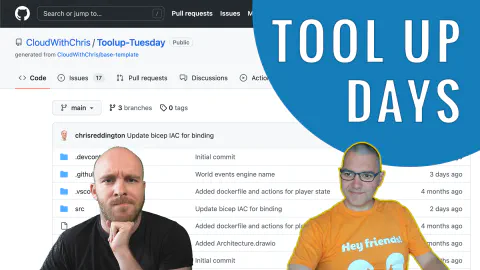
ToolUp Days #14
ToolUp Days is all about showing the thought process and decisions made when creating an application from scratch. In this episode, Chris and Matt tackle the messy reality of developer environment drift — different machines, multiple WSL variants, forgotten installs — and make the case for a Codespaces-first workflow backed by a declarative dev container.
The Problem: Environment Drift
After several sessions where progress stalled because neither host could reproduce their earlier setup, the team decides to invest time in a reproducible development environment. Chris has also recently migrated the project’s Azure resources to a new tenant, which becomes an unexpected validation of the earlier OpenID Connect and GitHub Actions work: apart from updating a single OIDC connection, the entire deployment pipeline continued working across a new subscription and tenant.
Dev Containers: Architecture & Setup
The hosts start with a community .NET + Docker Compose dev container template from GitHub’s official devcontainers repository. They walk through the three key files:
devcontainer.json— declares extensions (C#, Docker, Dapr), references the Docker Compose file, and runs post-create commands to ensure a clean Dapr installationdocker-compose.yml— builds from the Dockerfile, mounts the local Docker socket for Docker-in-Docker support, and sets up a named networkDockerfile— a standard .NET base image with the Azure CLI and Dapr CLI installed
Along the way, Chris explains how VS Code separates its UI layer from its server/backend layer. Extensions like GitHub Copilot run on the client side, while the file system, terminal, and language servers run inside the container (or remote environment). This architecture is what makes Codespaces, Dev Containers, WSL, and SSH remotes all work with the same VS Code UI.
Adding Go to a .NET Dev Container
Because the project is a monorepo containing both .NET and Go services, the team needs a single dev container that supports both runtimes. They add a wget-based Go installation step to the Dockerfile, pinning a specific version for reproducibility and appending the Go binary path to $PATH. The VS Code Go extension is also added to devcontainer.json.
Dapr Components & Codespaces Secrets
The main win of the session is getting the Player State service running locally inside Codespaces, secured without any committed credentials.
GitHub Codespaces secrets are injected as environment variables at codespace creation time. Dapr has a built-in environment-variable secret store component that reads values from environment variables. By declaring a Dapr component file that uses this secret store, the Player State service can pull its Azure Storage Account key securely at runtime — no connection strings in source control, no manual setup steps.
The workflow demonstrated:
- Create a Codespaces secret for the Azure Storage Account key
- Define a Dapr component file for the environment-variable secret store
- Define a Dapr component file for the Azure Table Storage state store, referencing the secret store
- Run
dapr run --components-path ./components -- dotnet run
A successful POST to the Player State API confirms data is written to Azure Table Storage — the first end-to-end local success in the series.
Security Considerations
The team briefly explores the Codespaces access model: secrets are only available to users who are either members of the organization paying for Codespaces or invited collaborators on the repository. This scoping means that Codespaces secrets provide a reasonable security boundary for development credentials, even if they should never be treated as production secret management.
They also note a gap worth closing: if the Azure Storage Account key rotates, the Codespaces secret would need to be updated manually. The team floats the idea of using the GitHub Terraform provider to automate Codespaces secret rotation as a future improvement.
What’s Next
With the dev container stable and the Player State service proven, the immediate next steps are:
- Create Codespaces secrets and Dapr component files for the remaining services
- Configure VS Code
launch.jsonandtasks.jsonto run multiple Dapr services simultaneously for end-to-end local debugging
Related Content
ToolUp Days #13
Chris and Matt spend this episode tracking down why the World Events Engine keeps crashing on startup in Azure Container Apps — tracing the root cause to a missing GitHub Container Registry credentials block in the Infrastructure as Code and a GitHub Actions token permissions gap. The session also covers Dapr component naming conventions, storage queue message formatting, container app log analysis, and planning a dedicated GitHub Codespaces episode.
ToolUp Days #12
Chris and Matt deploy the World Events Engine to Azure Container Apps — encountering and fixing a real-world GitHub Actions deployment bug caused by parallel runs generating duplicate container names. The episode covers Dapr storage queue bindings, service invocation between microservices, random bar-type modifier logic, and a viewer-prompted conversation about using GitHub Codespaces to standardise the development environment.
ToolUp Days #11
The series officially rebrands from ToolUp Tuesday to ToolUp Days, giving Chris and Matt the flexibility to keep a consistent cadence. This episode focuses on rethinking the game's data model — simplifying the player state object, introducing a BarType enum, and scaffolding both a player creation API and a bar management controller, with GitHub Copilot generating much of the boilerplate in real time.